SNMP and Web based Data Acquisition I/O Module

Description

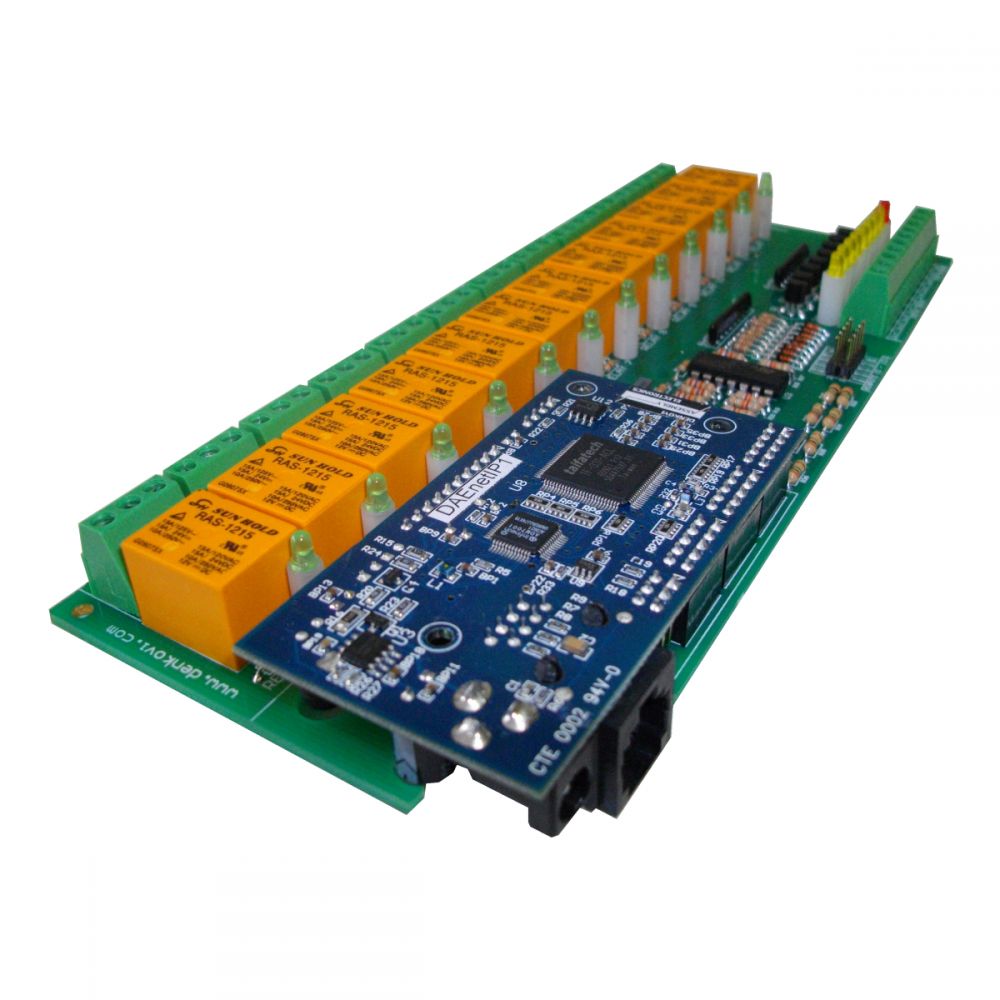
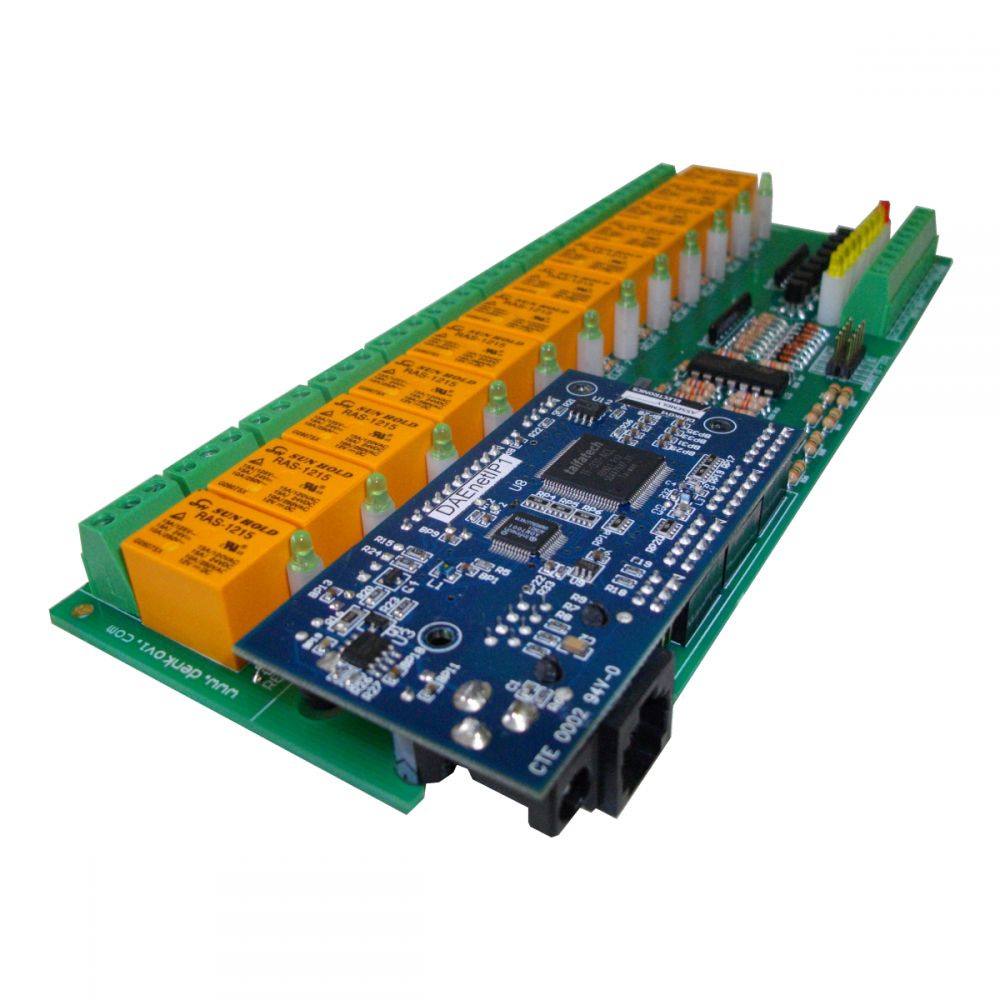
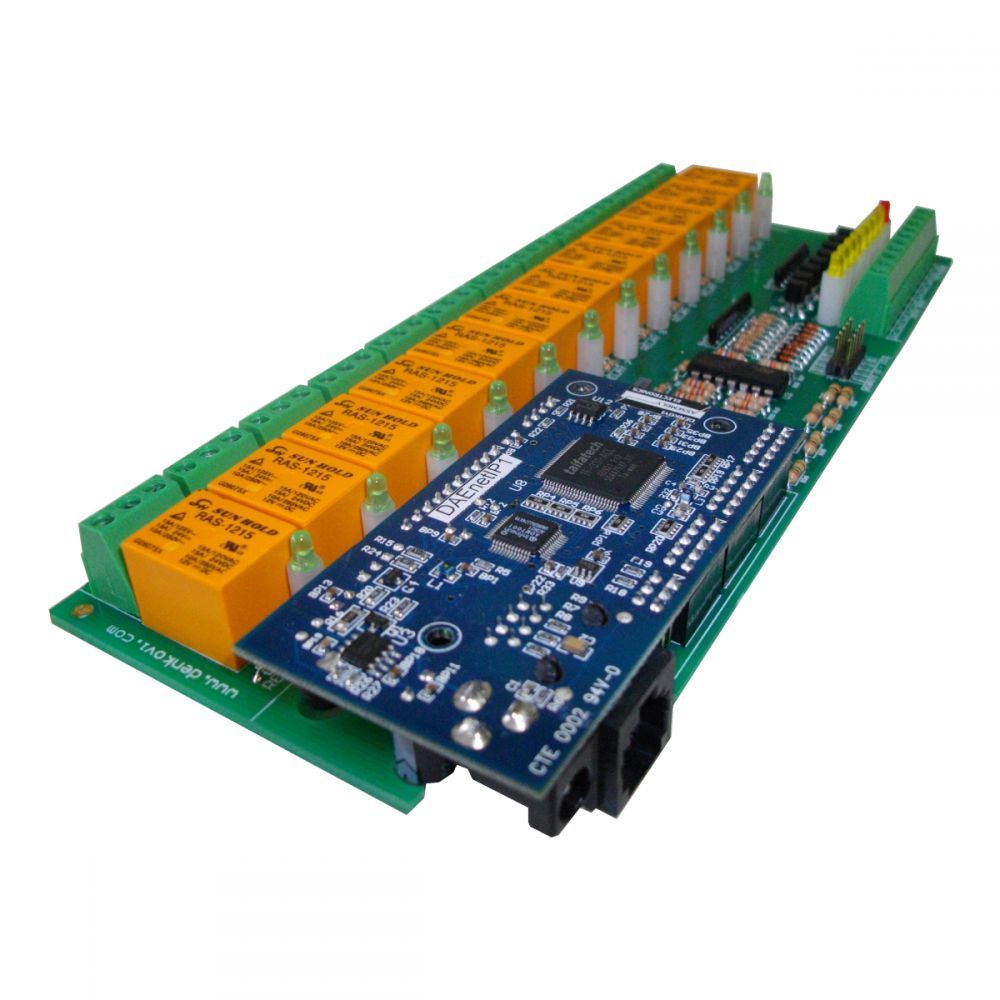
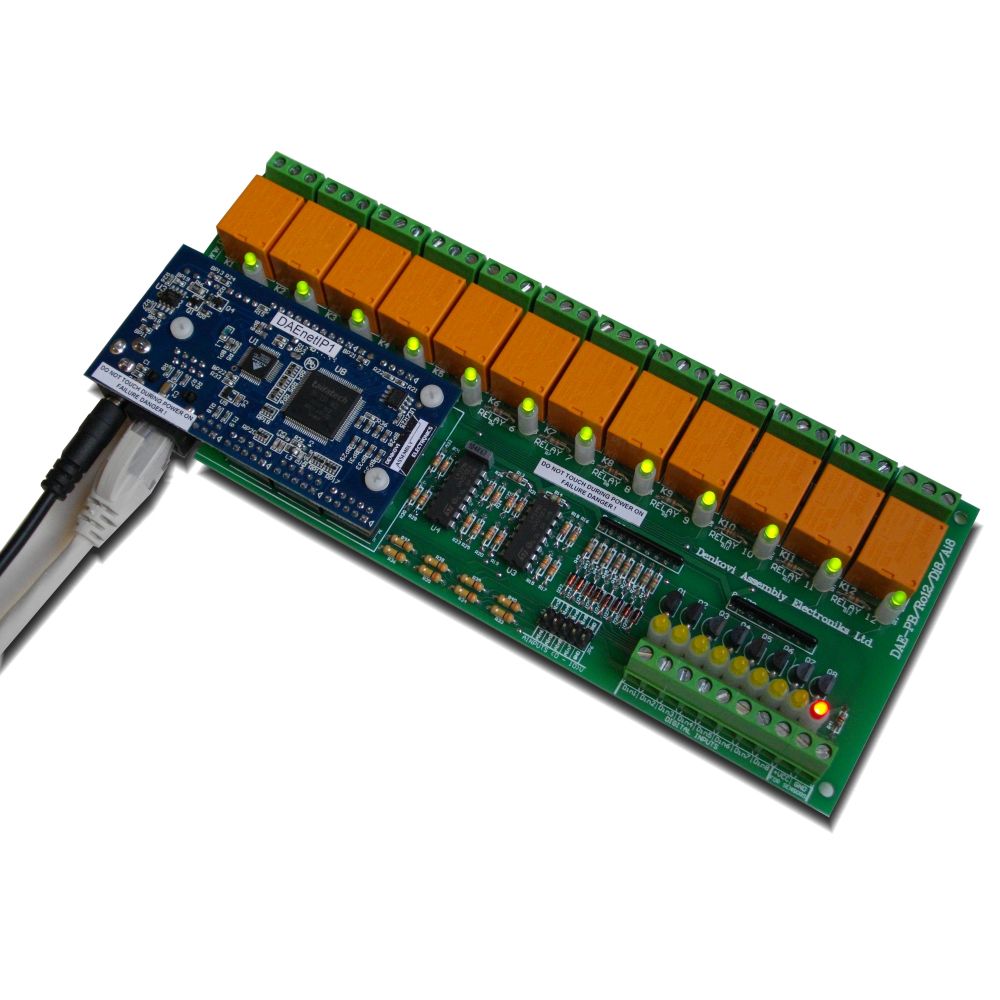
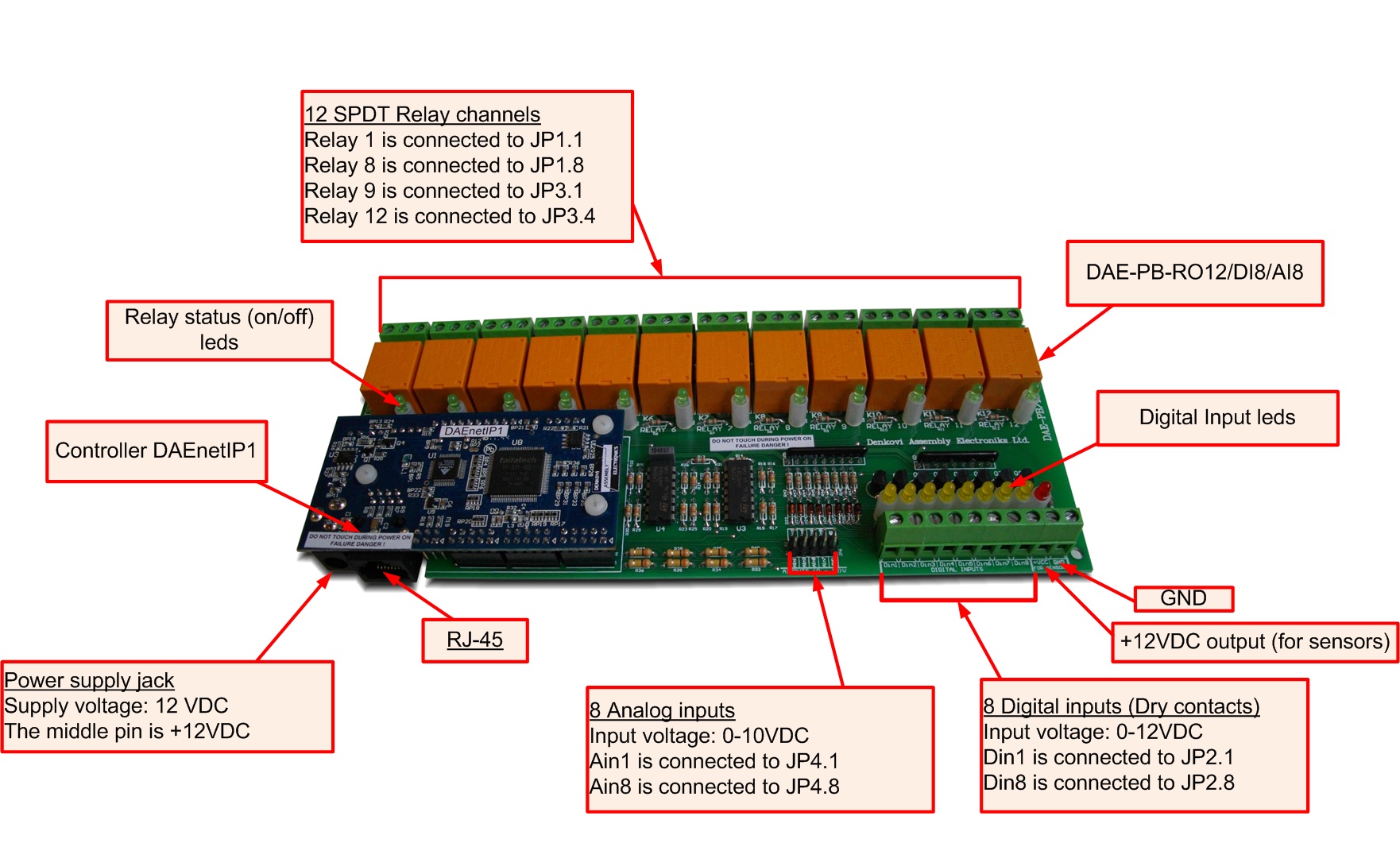
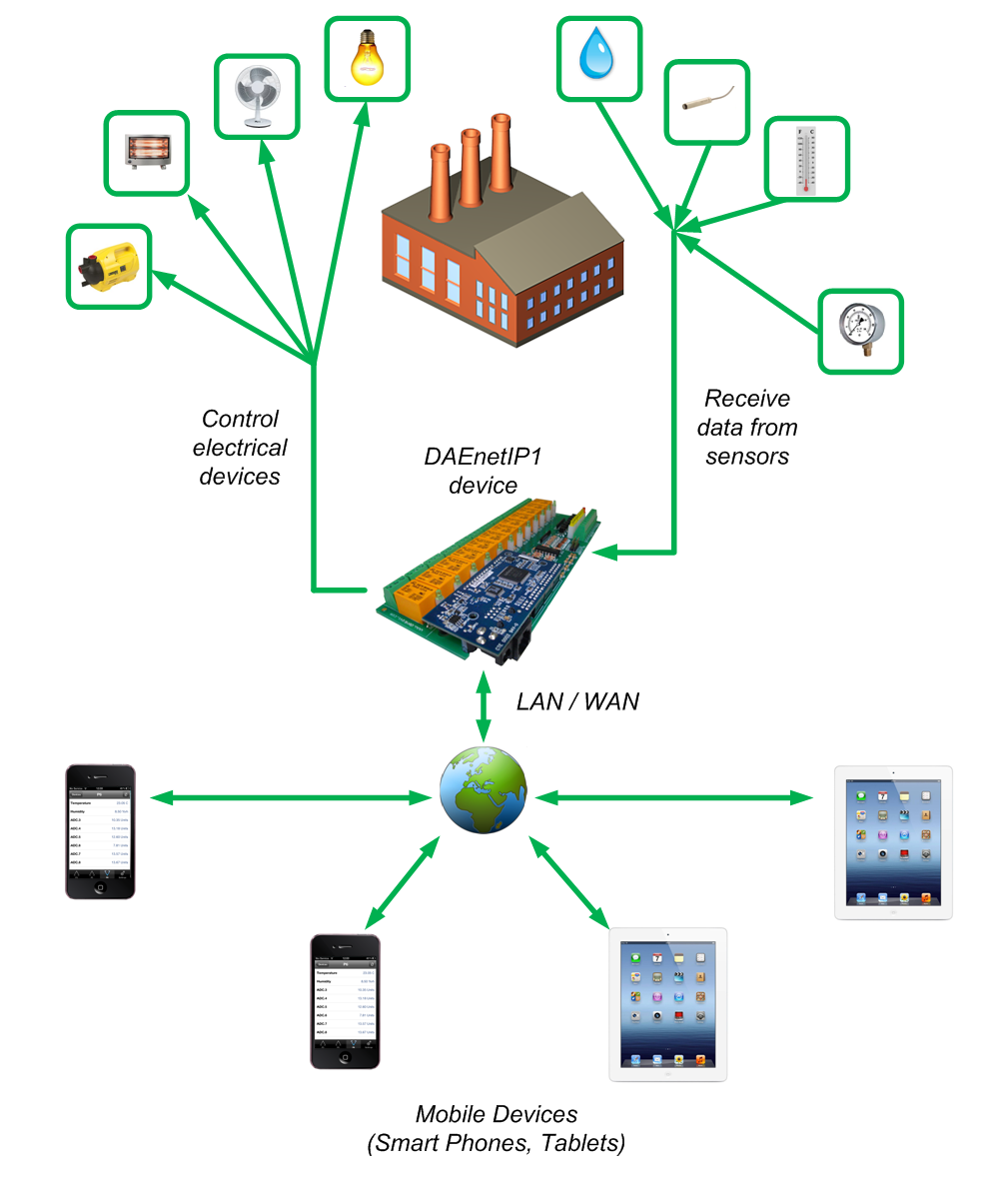
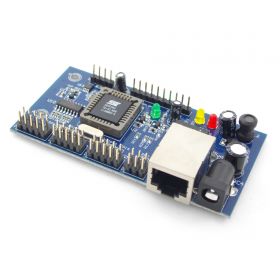
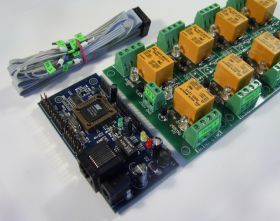
This is module consisting of IP controller and peripherial board with 12 relay outputs, 8 ADC inputs and 8 digital inputs. It is autonomic ethernet device. Just connect the board into your local network or internet and control it from remote PC or smartphone.

Buy

Price: $126.00
Quantity:
Send to friend Rate this product Add to wishlist

Product manual (only for DAEnetIP1)

Download it from here


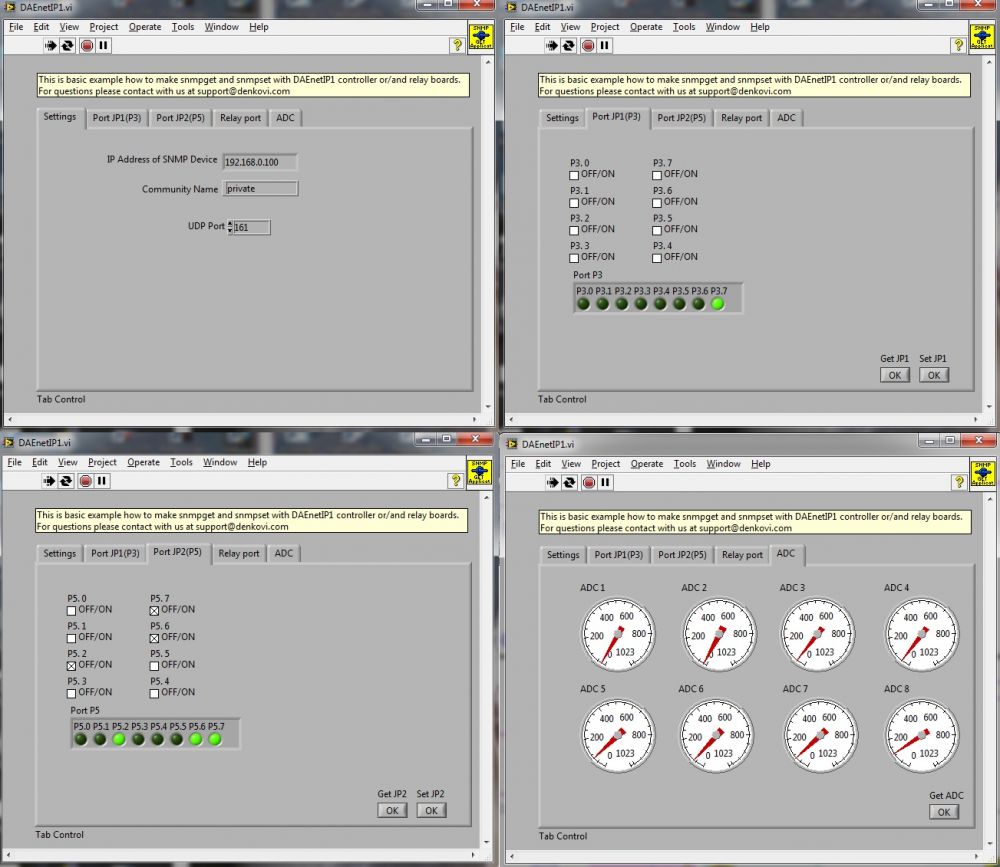
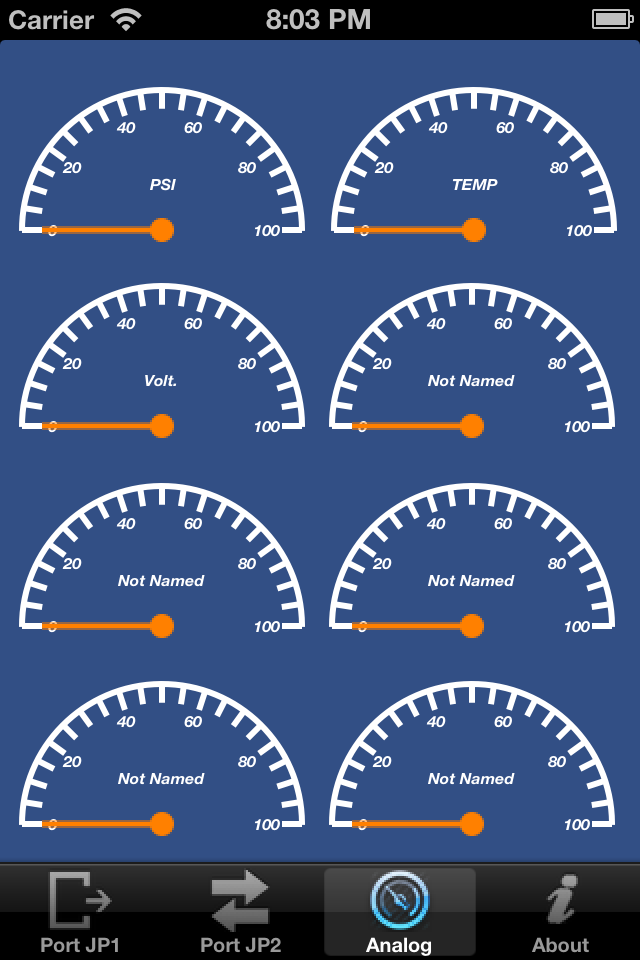
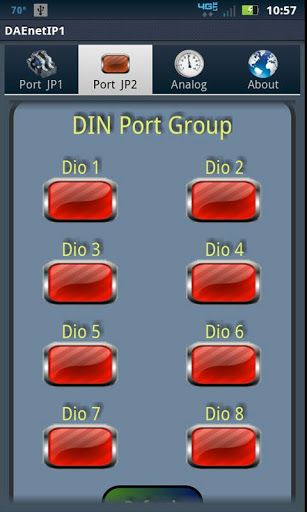
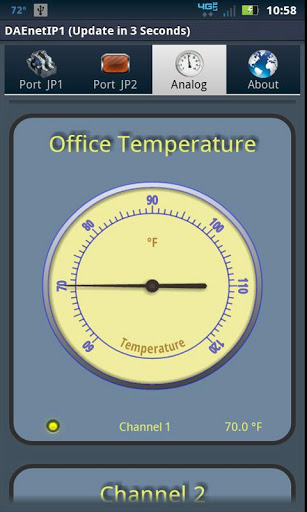
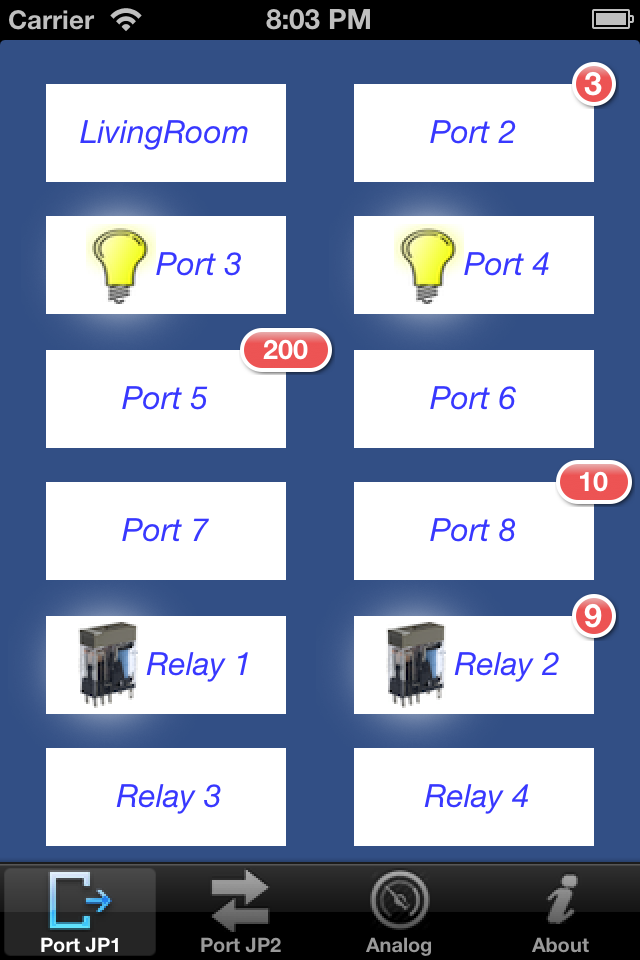
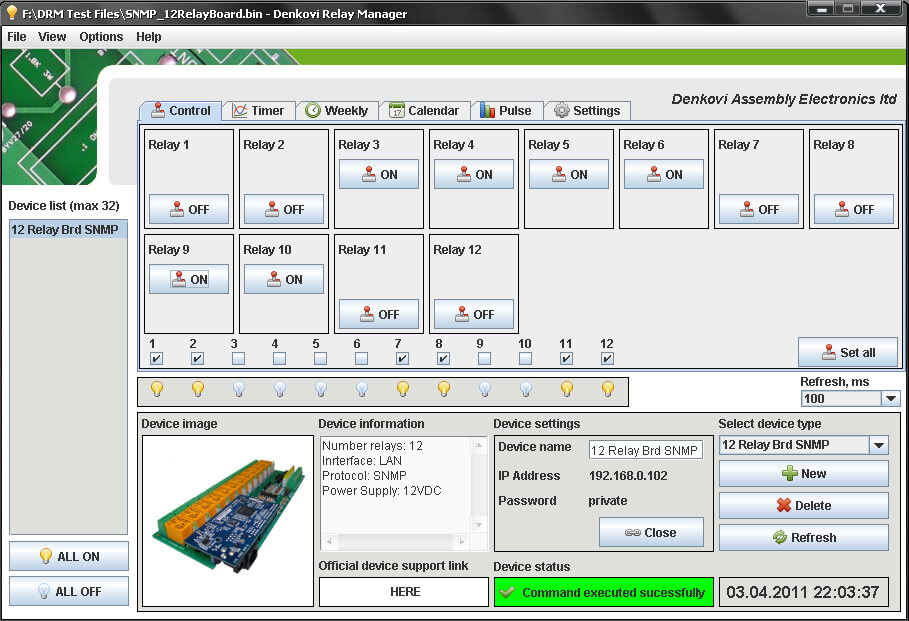
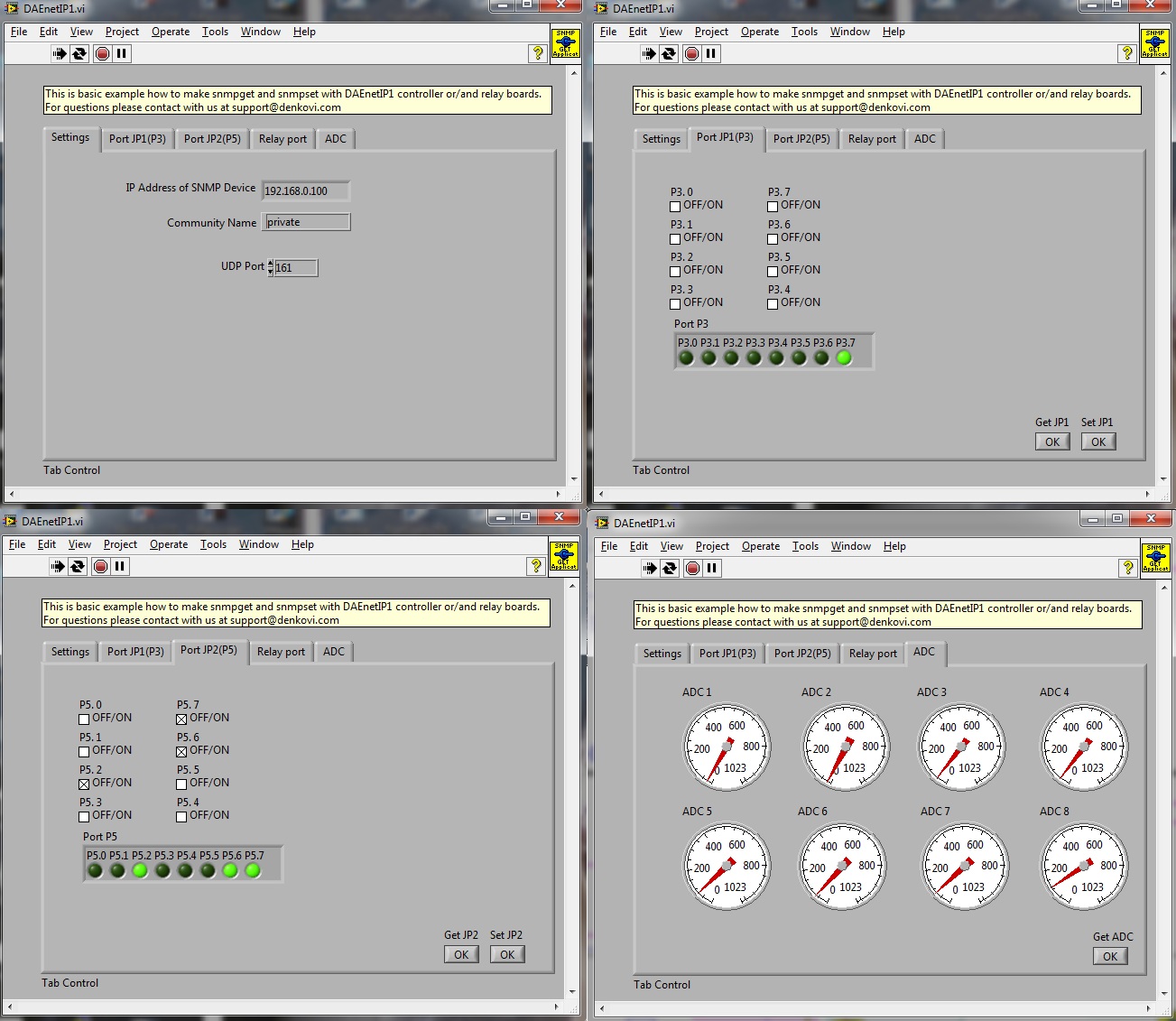
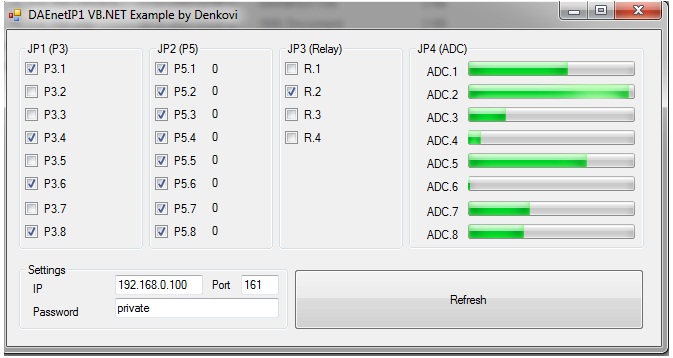
This is set of DAEnetIP1 IP controller and peripherial board with 12 relay outputs, 8 ADC inputs and 8 digital inputs. It is autonomic ethernet device. Just connect the board into your local network or internet and control it from remote PC or smartphone. You may use special software (DAEnetIP1 manager - available for download at this auction) or web browser to switch ON/OFF each relay, track each analog/digital input. Configuration utility is provided. Also you can control ONLY THE RELAYS with our DRM Software. For full description see the DAEnetIP1 maunal. For suitable power adaptor please look at our store or contact with us (if you have questions for the power supply source).


Features

  • SNMP v1.protocol
  • SNMP Traps
  • Integrated web server - access via web browser
  • 12 relay outputs: 10A @ 220V
  • 8 analog inputs: 0-10V DC
  • 8 digital inputs: 0-12V DC
  • 12VDC power supply
  • Extra PCB openings for better voltage isolation
  • Sensor supply directly from the module
  • Relays control with DRM Software
  • Configuration utility - DAEnetIP1 Manager
  • Product code: DAE-PB-RO12/DI8/AI8 + DAEnetIP1


Application examples
  • Security and fire alarm systems
  • Manual or automatic device restart if event occur
  • Management/monitoring for industrial
  • Sensor information processing
  • Remote electrical devices control
  • Remote Lock/unlock doors
  • Suitable for school and university education


The kit includes:

  • 1 x DAEnetIP1 Ethernet controller - user manual DAEnetIP1_UM.pdf
  • 1 x DAE-PB/RO12/DI8/AI8 peripherial board
  • DAEnetIP1 manager configuration utility - DAEnetIP1Manager.exe
  • DRM Software - Denkovi Relay Manager Software. The software is available for download from this link - setup.exe


DAE-PB/RO12/DI8/AI8 description 

Supply

Type     DAE-PB/RO12/DI8/AI8 + DAEnetIP1
Recommend voltage   VDC 12
Voltage limits Including ripple VDC 11...14.4
Nominal input current   mA 700
Power dissipated   W 8.5
Protection Integrated overvoltage   No


Relay output characteristics

Type     DAE-PB/RO12/DI8/AI8 peripherial board
Relay outputs count     12
Relay type     RAS-12-15
Contact type     NO, NC
Current consumption 12 VDC mA 30
Switching parameters
24 VDC
120 VAC
250 VAC
A
A
A
15
15
10


Digital inputs characteristics

Type     DAE-PB/RO12/DI8/AI8 peripherial board
Digital inputs count     8
Nominal value of inputs
Voltage
Current
VDC
mA
12
5.2
Max non desctructive voltage   VDC 24.0
Input switching limit values
From 0 to 1 Voltage
  Current
From 1 to 0 Voltage
  Current
VDC
mA
VDC
mA
>7.6
>3.2
<4.5
<1.8
Input impedance at state 1   2.2
Sensor compability
2-wire
3-wire
 
Yes PNP
No
Input type     Resistive with Schmitt trigger
Isolation
Between supply and inputs
Between inputs
 
No
No
Protection Against reverse polarity   Yes


Analog input characteristics

Type     DAE-PB/RO12/DI8/AI8 peripherial board
Analog inputs count     8
Input range   VDC 0...10
Input impedance   4
Max non desctructive voltage   V 24
Value of LSB   mV 10
Input type     Common mode
Conversion
Resolution
Conversion time
Precision
Repeat accuracy
V
sec
V
mA
10 bits at maximum voltage
0.1...255
determinated by parameter
Isoation Beteen analog channel and supply   No
Protection Against reverse polarity   Yes


Phisical characteristics

Type     DAE-PB/RO12/DI8/AI8 peripherial board
Dimensions
Width
Height
Length
mm
mm
mm
103
24
191
Weight   gr 308
PCB
FR4
Height
Layers
Metalized holes
HAL
White stamp
Solder mask
 
mm


Yes
1.5
2
Yes
Yes
Yes
Yes
Mounting holes diameter inner side mm 3
Leds
Relays
Digital inputs
Power
 
Yes
Yes
Yes


DAEnetIP1 description

DAEnetIP1 is powerful and easy for use at the same time ethernet controller for remote monitoring and control via internet. No programing skills needed. Just connect DAEnetIP1 to your LAN or wireless router for example and you may control different elcetrical devices, scan sensors, make pulses with adjustable width and so on. If you connect for example in suitable way thermo sensor to one of the eight analog inputs and relay to one of the eight digital outputs you have standalone thermoregolator without even need of LAN connection. The auction contains some additional instructions how to access input/output lines of DAEnetIP1(via WEB browser IE/Mozilla, DAEnetIP1 manager or SNMP commands via command promt).  DAEnetIP1 connection to the Ethernet network is done with UTP Cat.5 cable with RJ45 connector. Auto MDIX. 8 seconds after power on, the device is ready for work. For more information - user manual


DAEnetIP1 Parameters

  • 10/100 Full duplex Ethernet interface
  • SNMP v1 TRAP
  • SNMP v1 (snmpget,snmpset)
  • WEB interface with authorization
  • 8 Digital inputs/outpus
  • 8 Digital outputs
  • 4 Digital outputs for relays
  • 8 Analog inputs (each is with 10 bit resoution)
  • Onboard temperature sensor
  • Power supply: 12V DC (the middle pin is +12VDC)
  • Consumtion: 117mA/12V DC
  • Working temperature from 0 to +70 Celsius
  • Storage temperature from -40 to +125 Celsius
  • Humidity from 10% to 80% non-condensing


Schematic description

  • JP4 – 8 x ADC inputs
  • JP1 – 8 x digital outputs (GPO)
  • JP2 – 8 x digital I/O (GPIO)
  • J1 – Unused
  • RJ-45 – UTP cable connector
  • Power jack – power connector
  • Relay board terminal – 4 digital outputs for relays

LEDs:

  • “power” – power 12V DC ready
  • “link” – Ethernet activity LED.
  • “voltage control” – power 3.3V DC ready


Power supply requirements

The power supply is very important! There are some requirements that must be kept for proper work of the DAEnetIP1 controller. We recommend power supply that fit the following reqiurements:

  • Power supply: DC 12 V 1000 mA (stabilized and filtered)
  • Polarity: Center positive, the inner pin of the power supply adaptor jack must be +12VDC.


  • Before using the power supply, measure the output voltage with voltmeter. The output voltage must be 12V DC +/- 5%


The controller power DC jack is shown on the figure belollow. The polarity is center positive tip, the midle pin is +12VDC:


DAEnetIP1 does not have reverese polarity protection. Supply with different polarity shown in this auction will damage the controller !

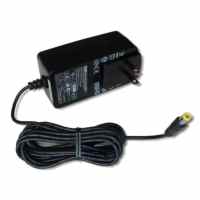
If you are not sure what power supply to use, you have doubts, you need power supply or you have whatever questions about the power supply for this device, please feel free to contact us !!! If you need power supply adaptor, please look at our store. We sell suitable adaptor for this device.


Default (Factory) Settings

DAEnetIP1 connection to the Ethernet network is done with UTP Cat.5 cable with RJ45 connector. Auto MDIX. 8 seconds after power on, the device is ready for work.


IP - 192.168.0.100
Netmask - 255.255.255.0
DG - 192.168.0.1
DHCP – Disabled
WEB username - admin
WEB password - admin
SNMP RW community - private
SNMP RO community - none

How to reset to default(Factory) settings:
Software restart:


  • From nav-menu -> „Restart"
  • Restart – restart the device
  • Reset DAEnetIP1 – Restart the device and reset to default values


Hardware restart:

  • power off the device
  • place jumper on J1 pin 4 and 6
  • power on the device and wait around 10 seconds
  • power off the device
  • remove the jumper
  • power on the device

    Important: If you lose access to the controller somehow (forget IP or whatever) DO NOT UPDATE THE FIRMWARE, BUT SIMPLY MAKE HARDWARE RESET ! If this does not help, please contact with us and we will try to help you!


Connecting to PC


  1. Connect your DAEnetIP1 controller (or kit) with UTP cable.
  2. Connect the PC with the other end of this cable
  3. Check out carefully that there is not danger of short cuts or metal surface around the controller.
  4. If there are additional wires from the DAEnetIP1 controller connect them (to the relay board or any other device)
  5. Check out the power supply you will use for DAEnetIP1 if it is correct according this auction (it is 12VDC and center positive tip)
  6. Plug the DC jack from the power adaptor to the device DC plug.
  7. TURN ON the power supply source.
  8. The power led (red one) must be on
  9. Adjust your PC IP to be 192.168.0.1
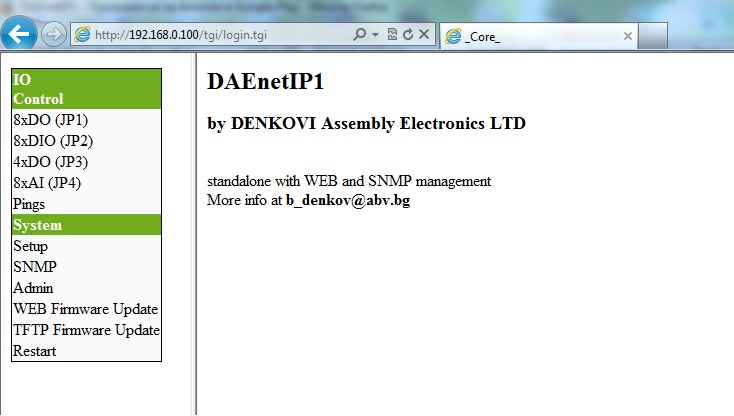
  10. Access the device via Web browser - type its IP (192.168.0.100) in the address bar and use admin / admin for username / password.

Caution: Do not touch the device with hands during power on !


Connecting to router

  1. We assume you have PC IP - 192.168.1.2, Router IP - 192.168.1.1 and DAEnetIP1 factory IP - 192.168.0.100
  2. Connect your DAEnetIP1 controller (or kit) with UTP cable.
  3. Connect the PC with the other end of this cable.
  4. Plug the DC jack from the power adaptor to the device DC plug.
  5. TURN ON the power supply source.
  6. The power led (red one) must be on
  7. Adjust your PC IP to be 192.168.0.1
  8. Access the device via Web browser - type its IP (192.168.0.100) in the address bar and use admin / admin for username / password.
  9. Change the DAEnetIP1 IP to be 192.168.1.3 (to mach your network)
  10. Change back the old IP of your PC - 192.168.1.2
  11. Turn off the DAEnetIP1 controller
  12. Unplug the UTP cable from PC and conect it to router.
  13. Power on the DAEnetIP1 controller
  14. Type in browser 192.168.1.3 ( the new IP) and access the controller.

Caution: Do not touch the device with hands during power on !


DAEnetIP1 I/O ports description - GPO (JP1) 

Pin No. bit Func direction pull-up buffer
1 0 GPO OUT 3v3/4k7 100 ohm
2 1 GPO OUT 3v3/4k7 100 ohm
3 2 GPO OUT 3v3/4k7 100 ohm
4 3 GPO OUT 3v3/4k7 100 ohm
5 4 GPO OUT 3v3/4k7 100 ohm
6 5 GPO OUT 3v3/4k7 100 ohm
7 6 GPO OUT 3v3/4k7 100 ohm
8 7 GPO OUT 3v3/4k7 100 ohm
9 - GND - - -
10 - 3v3 - - -


DAEnetIP1 I/O ports description - GPIO (JP2)

Pin No. bit Func direction pull-up buffer
1 0 GPIO IN/OUT 3v3/4k7 100 ohm
2 1 GPIO IN/OUT 3v3/4k7 100 ohm
3 2 GPIO IN/OUT 3v3/4k7 100 ohm
4 3 GPIO IN/OUT 3v3/4k7 100 ohm
5 4 GPIO IN/OUT 3v3/4k7 100 ohm
6 5 GPIO IN/OUT 3v3/4k7 100 ohm
7 6 GPIO IN/OUT 3v3/4k7 100 ohm
8 7 GPIO IN/OUT 3v3/4k7 100 ohm
9 - GND - - -
10 - 3v3 - - -


DAEnetIP1 I/O ports description - Relay outputs (JP3) 

Pin No. bit Func direction pull-up buffer
1 0 GPO OUT 3v3/2k2 -
2 1 GPO OUT 3v3/2k2 -
3 2 GPO OUT 3v3/2k2 -
4 3 GPO OUT 3v3/2k2 -
5 - PWR_EN OUT - -
6 - Vin OUT - -
7 - Vin OUT - -
8 - GND - - -
9 - GND - - -
10 - GND - - -


DAEnetIP1 I/O ports description - ADC (JP4)

Pin No. bit Func direction pull-up buffer
1 0 Channel 0 Ain - -
2 1 Channel 1 Ain - -
3 2 Channel 2 Ain - -
4 3 Channel 3 Ain - -
5 4 Channel 4 Ain - -
6 5 Channel 5 Ain - -
7 6 Channel 6 Ain - -
8 7 Channel 7 Ain - -
9 - GND - - -
10 - V ref - - -


Access DAEnetIP1 via Web Browser


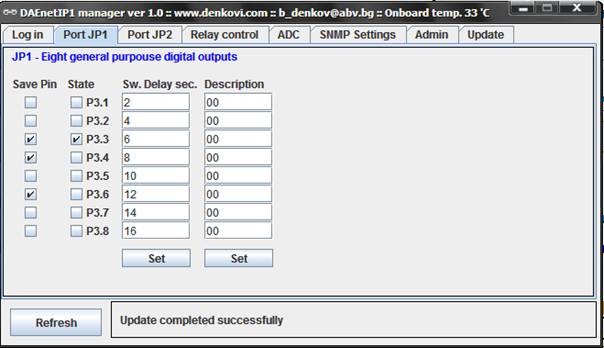
Access JP1 via DAEnetIP1 manager

JP1 is 8 bit digital output port. It can be controlled via web browser, DAEnetIP1 manager, snmp commands or via its corresponding ADC input. Relays 1-8 of DAE-PB/RO12/DI8/AI8 are connected to this port.

SNMP Commands

snmpget -v1 -c private 192.168.0.100 DenkoviMIB::p6lock.1 - Get JP1 Pin 1 lock value
snmpget -v1 -c private 192.168.0.100 DenkoviMIB::p6state.1 - Get JP1 Pin 1 state value
snmpget -v1 -c private 192.168.0.100 DenkoviMIB::p6delay.1 - Get JP1 Pin 1 delay value
snmpget -v1 -c private 192.168.0.100 DenkoviMIB::p6description.1 - Get JP1 Pin 1 description value
snmpset -v1 -c private 192.168.0.100 DenkoviMIB::p6lock.1 i 0 - Set JP1 Pin 1 lock value
snmpset -v1 -c private 192.168.0.100 DenkoviMIB::p6state.1 i 0 - Set JP1 Pin 1 state value
snmpset -v1 -c private 192.168.0.100 DenkoviMIB::p6delay.1 i 10 - Set JP1 Pin 1 delay value
snmpset -v1 -c private 192.168.0.100 DenkoviMIB::p6description.1 s "DO_1" - Set JP1 Pin 1 description value
 

Access JP2 via DAEnetIP1 manager

JP2 is 8 bit digital bidirectional user configurable input/output port. When it is ouput can be controlled via web browser, DAEnetIP1 manager, snmp commands. When it is input may be monitored via DAEnetIP1 manager and snmp commands. When there is JP2 pin level change DAEnetIP1 sends trap message to the given trap servers. The digital inputs of DAE-PB/RO12/DI8/AI8 (0-12 V) are connected to this port.

SNMP Commands

snmpget -v1 -c private 192.168.0.100 DenkoviMIB::JP2Lock.1 - Get JP2 Pin 1 lock value
snmpget -v1 -c private 192.168.0.100 DenkoviMIB::JP2State.1 - Get JP2 Pin 1 state value
snmpget -v1 -c private 192.168.0.100 DenkoviMIB::JP2Delay.1 - Get JP2 Pin 1 delay value
snmpget -v1 -c private 192.168.0.100 DenkoviMIB::JP2Description.1 - Get JP2 Pin 1 description value
snmpget -v1 -c private 192.168.0.100 DenkoviMIB::JP2Value.1 - Get JP2 Pin 1 value
snmpset -v1 -c private 192.168.0.100 DenkoviMIB::JP2Lock.1 i 0 - Set JP2 Pin 1 lock value
snmpset -v1 -c private 192.168.0.100 DenkoviMIB::JP2State.1 i 0 - Set JP2 Pin 1 state value
snmpset -v1 -c private 192.168.0.100 DenkoviMIB::JP2Delay.1 i 10 - Set JP2 Pin 1 delay value
snmpset -v1 -c private 192.168.0.100 DenkoviMIB::JP2Description.1 s "DIO_1" - Set JP2 Pin 1 description value
 

Note:
JP2 can be used either digital outputs either digital inputs. The inputs visualization is implemented only over SNMP and DAEnetIP1 manager (it is not implemented via web yet). To use a JP2 pin as input its state must be set (“1”). To do this set the checkbox under label “Control JP2”.


Access JP3 via DAEnetIP1 manager

JP3 is 4 bit digital output port for switching relays. It can be controlled via web browser, DAEnetIP1 manager, snmp commands or via its corresponding ADC input.The management rules are same as JP1 digital I/O management. It is used only R0,R1,R2 and R3. Relays 9-12 of DAE-PB/RO12/DI8/AI8 are connected to this port.

SNMP Commands

snmpget -v1 -c private 192.168.0.100 DenkoviMIB::RelayLock.1 - Get JP2 Pin 1 lock value
snmpget -v1 -c private 192.168.0.100 DenkoviMIB::RelayState.4 - Get JP2 Pin 4 state value
snmpget -v1 -c private 192.168.0.100 DenkoviMIB::RelayDelay.1 - Get JP2 Pin 1 delay value
snmpget -v1 -c private 192.168.0.100 DenkoviMIB::RelayDescription.1 - Get JP2 Pin 1 description value
snmpset -v1 -c private 192.168.0.100 DenkoviMIB::RelayLock.1 i 0 - Set JP2 Pin 1 lock value
snmpset -v1 -c private 192.168.0.100 DenkoviMIB::RelayState.1 i 0 - Set JP2 Pin 1 state value
snmpset -v1 -c private 192.168.0.100 DenkoviMIB::RelayDelay.1 i 10 - Set JP2 Pin 1 delay value
snmpset -v1 -c private 192.168.0.100 DenkoviMIB::RelayDescription.1 s "DIO_1" - Set JP2 Pin 1 description value
 

Access JP4 via DAEnetIp1 manager

JP4 is 8 channel x 10-bit ADC input port (0 - 2.5 VDC) with 2.5VDC refferent voltage. It can be monitored via web browser, DAEnetIP1 manager, snmp commands. When some ADC input crosses given high/low threshold may be done the following: 1) a trap message may be sent. 2) JP1 pin state may be changed. 3) JP3 pin state may be changed. The analog inputs of DAE-PB/RO12/DI8/AI8 (0-10 V) are connected to this port.

SNMP Commands

snmpget -v1 -c private 192.168.0.100 DenkoviMIB::Value.1 - Get JP4 Pin 1 value
snmpget -v1 -c private 192.168.0.100 DenkoviMIB::SNMPRefresh.1 - Get JP4 Pin 1 SNMP refresh interval value
snmpget -v1 -c private 192.168.0.100 DenkoviMIB::LowThreshold.1 - Get JP4 Pin 1 LT value
snmpget -v1 -c private 192.168.0.100 DenkoviMIB::HighThreshold.1 - Get JP4 Pin 1 HT value
snmpget -v1 -c private 192.168.0.100 DenkoviMIB::LowHysteresis.1 - Get JP4 Pin 1 LH value
snmpget -v1 -c private 192.168.0.100 DenkoviMIB::HighHysteresis.1 - Get JP4 Pin 1 HH value
snmpget -v1 -c private 192.168.0.100 DenkoviMIB::ChannelDescription.1 - Get JP4 Pin 1 Description value
snmpget -v1 -c private 192.168.0.100 DenkoviMIB::Mode.1 - Get JP4 Pin 1 Mode value
snmpget -v1 -c private 192.168.0.100 DenkoviMIB::SNMPTrap.1 - Get JP4 Pin 1 SNMPTrap value
snmpget -v1 -c private 192.168.0.100 DenkoviMIB::GPIOmap.1 - Get JP4 Pin 1 GPIOmap value
snmpget -v1 -c private 192.168.0.100 DenkoviMIB::RELAYmap.1 - Get JP4 Pin 1 RELAYmap value
snmpset -v1 -c private 192.168.0.100 DenkoviMIB::SNMPRefresh.1 i 1 - Set JP4 Pin 1 SNMP refresh interval value
snmpset -v1 -c private 192.168.0.100 DenkoviMIB::LowThreshold.1 i 200 - Set JP4 Pin 1 LT value
snmpset -v1 -c private 192.168.0.100 DenkoviMIB::HighThreshold.1 i 600 - Set JP4 Pin 1 HT value
snmpset -v1 -c private 192.168.0.100 DenkoviMIB::LowHysteresis.1 - Set JP4 Pin 1 LH value
snmpset -v1 -c private 192.168.0.100 DenkoviMIB::HighHysteresis.1 - Set JP4 Pin 1 HH value
snmpset -v1 -c private 192.168.0.100 DenkoviMIB::ChannelDescription.1 s "AI1" - Set JP4 Pin 1 Description value
snmpset -v1 -c private 192.168.0.100 DenkoviMIB::Mode.1 i 0 - Set JP4 Pin 1 Mode value
snmpset -v1 -c private 192.168.0.100 DenkoviMIB::SNMPTrap.1 i 0 - Set JP4 Pin 1 SNMPTrap value
snmpset -v1 -c private 192.168.0.100 DenkoviMIB::GPIOmap.1 i 0 - Set JP4 Pin 1 GPIOmap value
snmpset -v1 -c private 192.168.0.100 DenkoviMIB::RELAYmap.1 i 0 - Set JP4 Pin 1 RELAYmap value


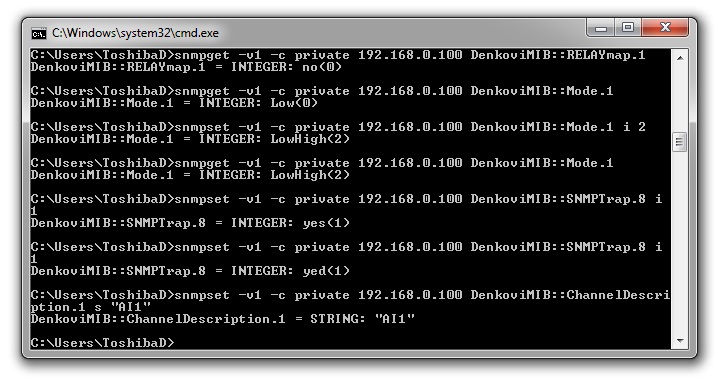
Command line (net-snmp)

Steps for Install net-snmp library. In this way you will be able to control the ethernet controller with command line.

  • Download the last version net-snmp binary for windows from http://net-snmp.sourceforge.net/download. The file must look like net-snmp-X.X.X.X-X.win32.exe
  • Install the downloaded file. Leave the default options. The packet will be install in c:\usr by default.
  • Download the DAEnetIP1 MIB file from here
  • Copy the mib file here c:\usr\share\snmp\mibs
  • Add new line in the file c:\usr\etc\snmp\snmp.conf with the "mibs all" directive.
  • Now you can test different commands for OID access, supported by this module. Their names you may see in the DAEnetIP1.mib file.


Useful links

DAEnetIP1

Shopping Cart

Cart is empty.

Currencies