Cart is empty.
 Home
Home Products
 Products comparison
 Case Studies
 Customers Projects
 Support
.png)




USB 16 Channel Relay Module - RS232 Controlled, 12V - ver.2

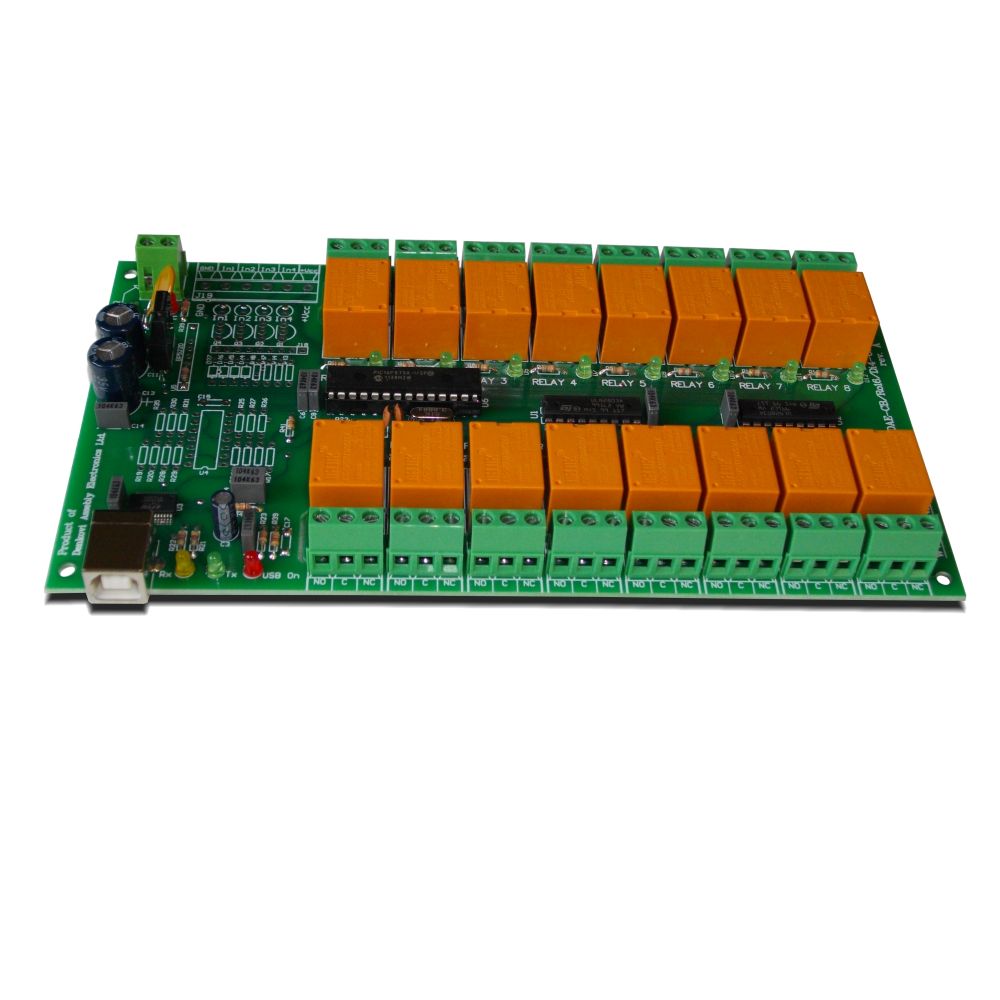
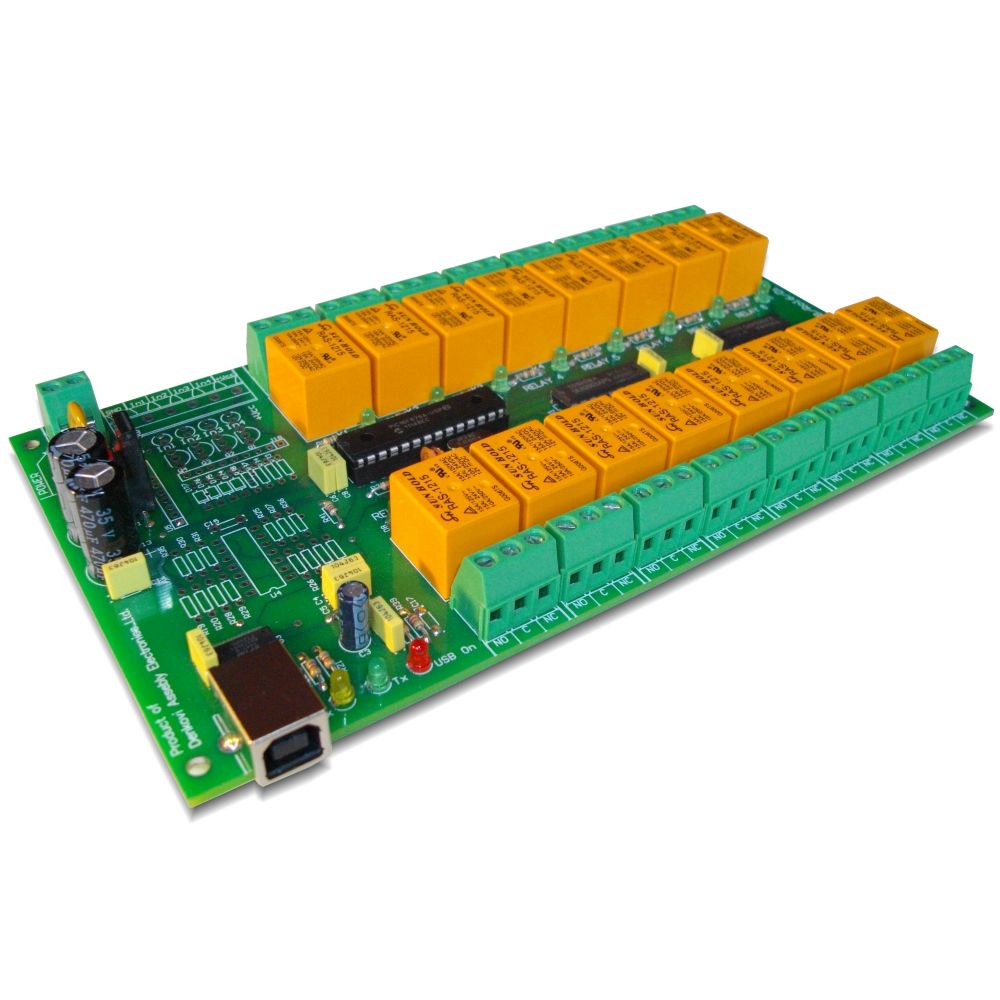
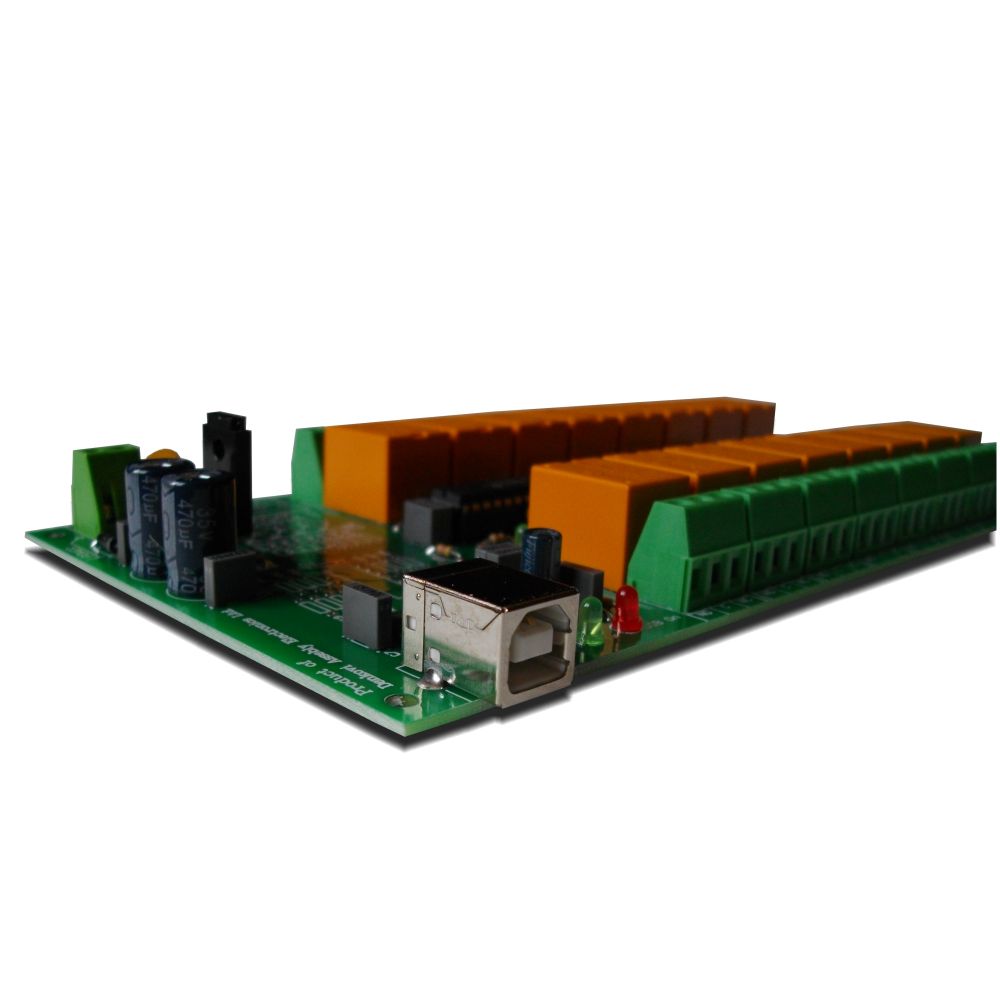
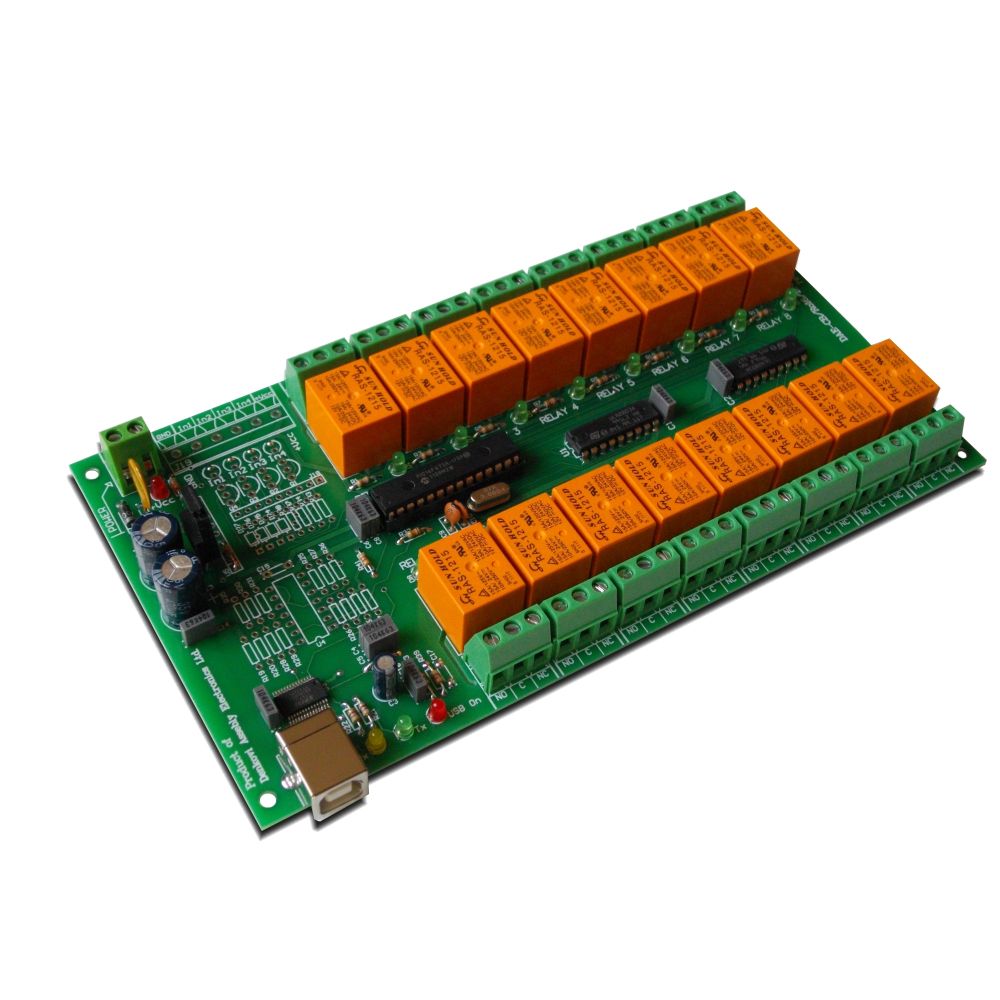
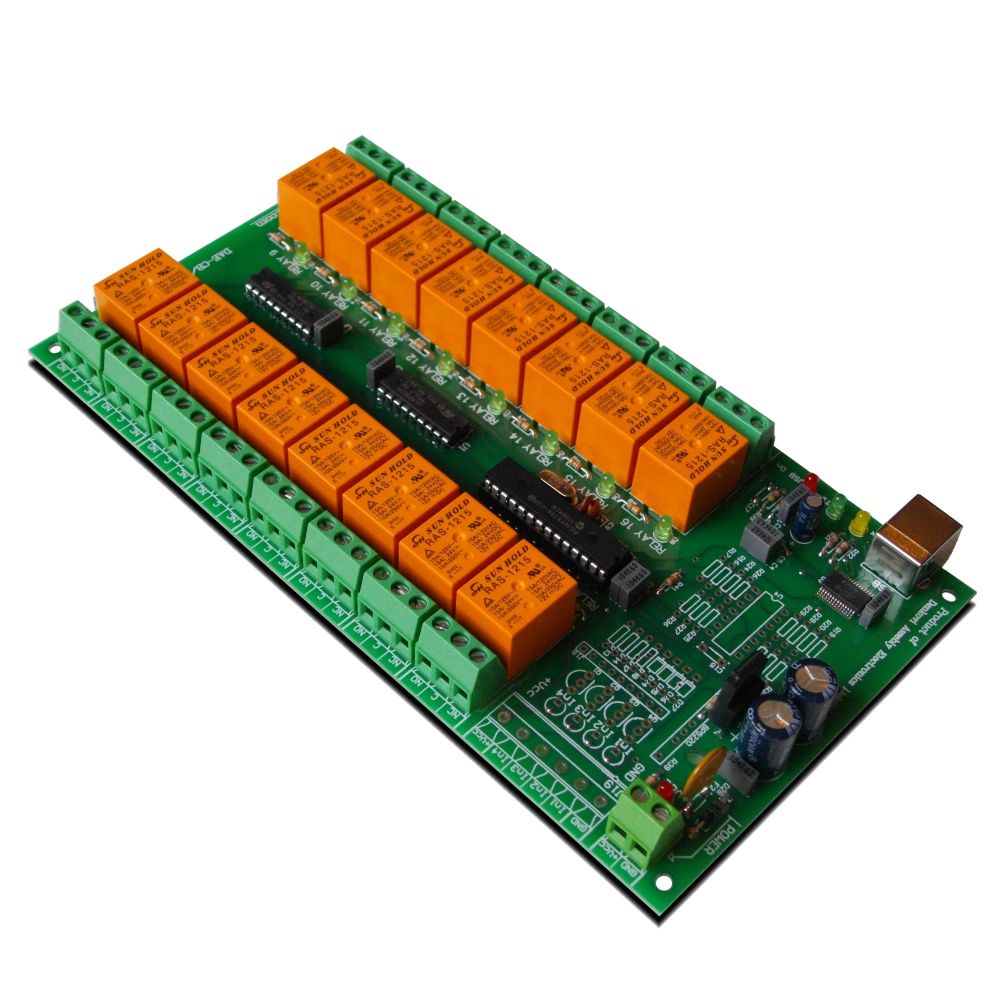
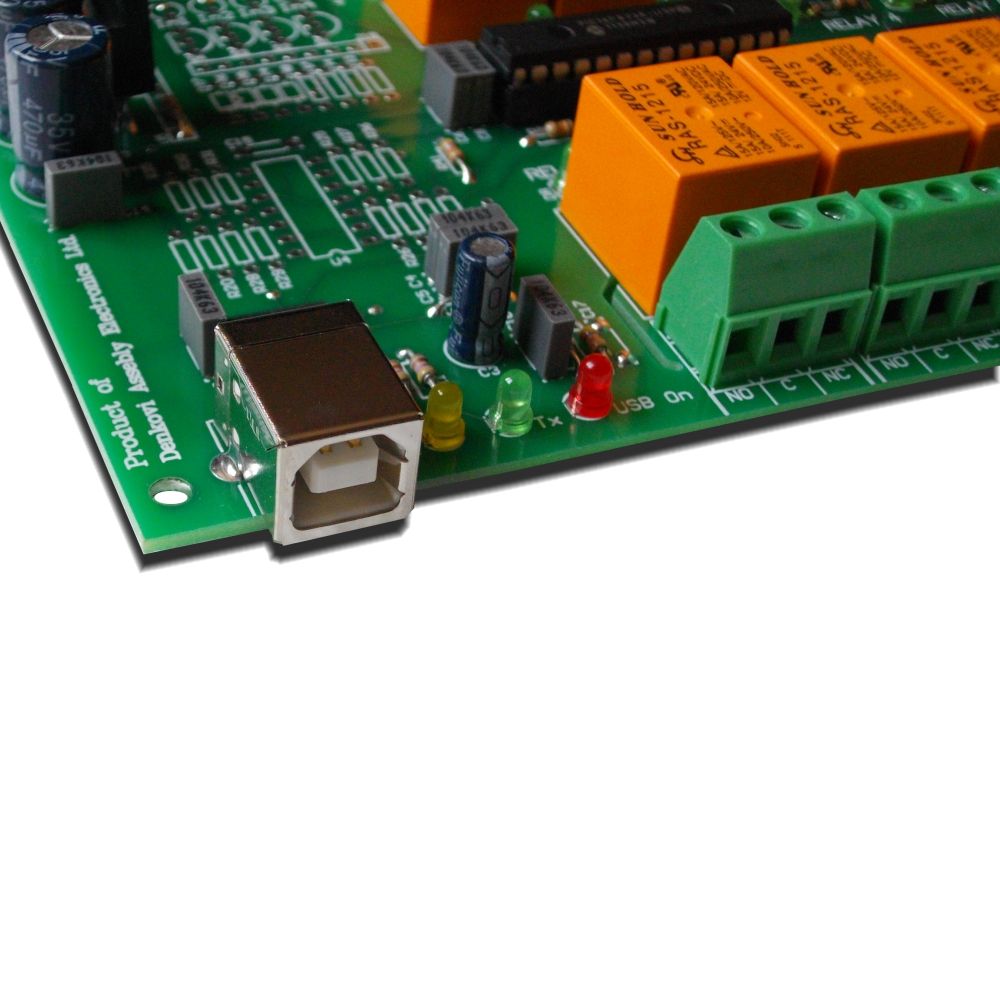
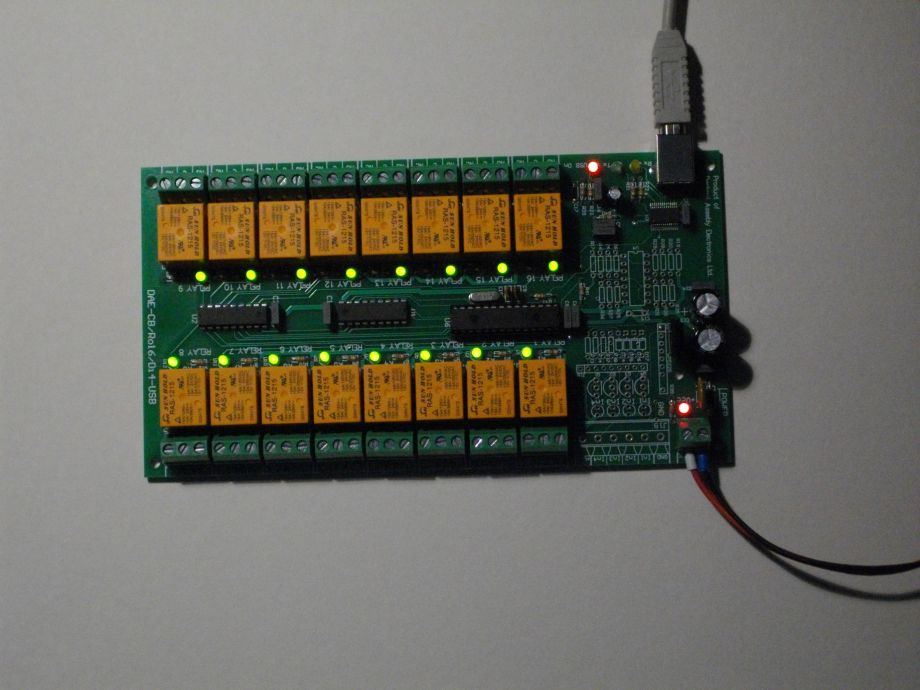
This is relay card with 16 relays RAS-12-15 or JQC-3F/T73 (depending on your choice). It is controlled via PC USB port and it is shown as virtual serial port (VSP or VCP). You may also control directly 220V / 120V devices with your PC usb port. There is flexible software for it, that allows you to make simple automation project or control from command line. We can provide Windows examples for VB6, BCB6, Java (netbeans), VB.NET 2010 Express, C++.NET 2010 Express
Rating:

- Brand: Denkovi Assembly Electronics ltd.
- Weight: 0.308 Kgs
Code: DAE-CB/Ro16/Di4-JQC-USB
 IMPORTANT! This is not any more supported product. You can order the new version of this product which is fully compatible with this product. The new product is located on this link!
This is the new version of our popular USB 16 Channel Relay Board - RS232 Controlled. It is suitable for controlling electrical devices, water jets, motors and so on. It may be integrated in small automtion and robotics projects. It uses one USB port of your PC and it is controlled via serial RS232 commands. It is shown on your PC as Virtual Com Port (VCP).
Features
-
Power supply - 12VDC, 300mA
-
16 SPDT relays - JQC-3F/T73 or RAS-1215. (Depending on your choice)
-
MAX. SWITCHING CURRENT PER SINGLE RELAY CHANNEL:
- Relay JQC-3F/T73
- 7A / 250VAC
- 10A / 125VAC
- 12A / 120VAC
- 10A / 28VDC
- Relay RAS-1215
- 10A / 250VAC
- 15A / 120VAC
- 15A / 24VDC
- Relay JQC-3F/T73
-
PCB parameters: FR4 / 1.5mm / two layers / metalized holes / HAL / white stamp / solder mask
-
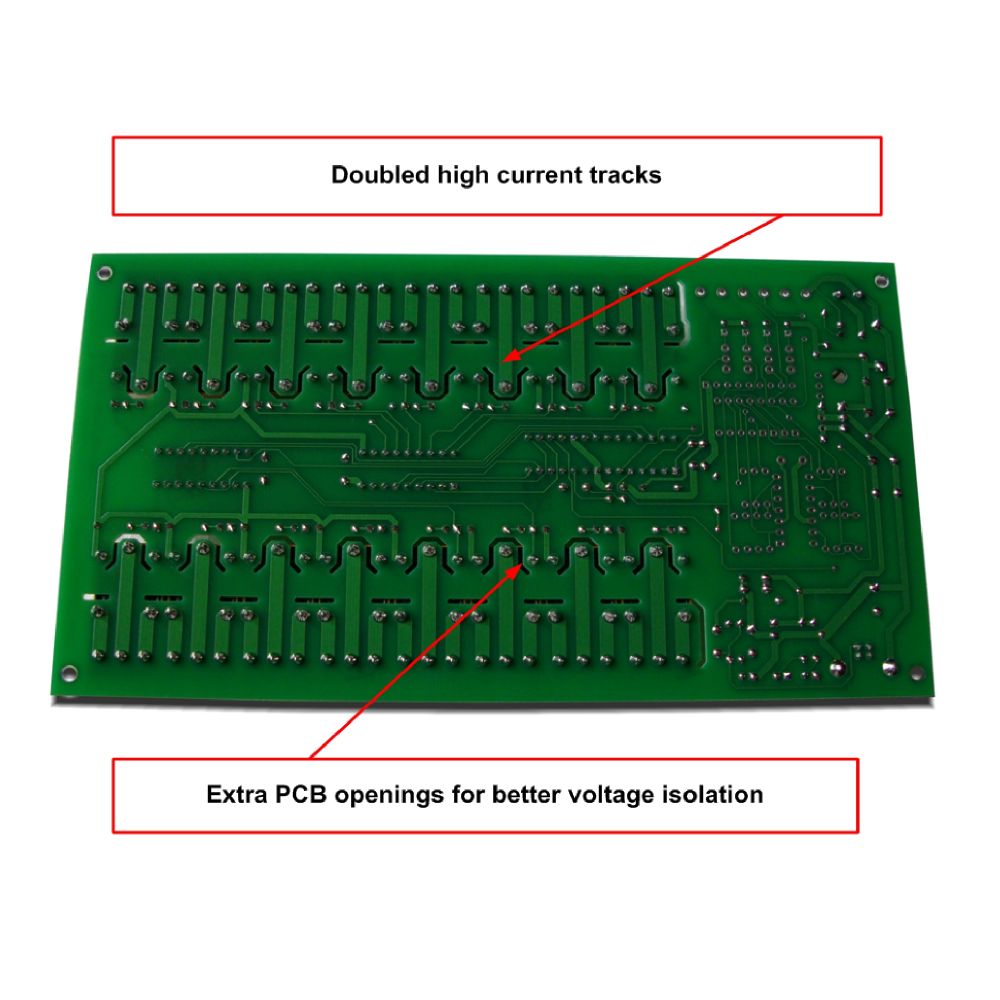
Extra PCB openings for better voltage isolation
-
Doubled high current tracks
- Communication: Serial USB communication (Virtual Com Port)
- Power led: Yes
- Relay leds: Yes
- TX led: Yes
- RX led: Yes
- Supported by DRM software (Windows 32/64 and Linux 32/64)
- Supported by Denkovi Command line tool (Windows/Linux) - New
- Source code examples: Yes - please contact with us.
- Size: 103mm x 24mm x 191mm
- Mounting holes diameter: 3mm
- Weight: 308 gr.
- Software examples - here
How to connect inductive loads
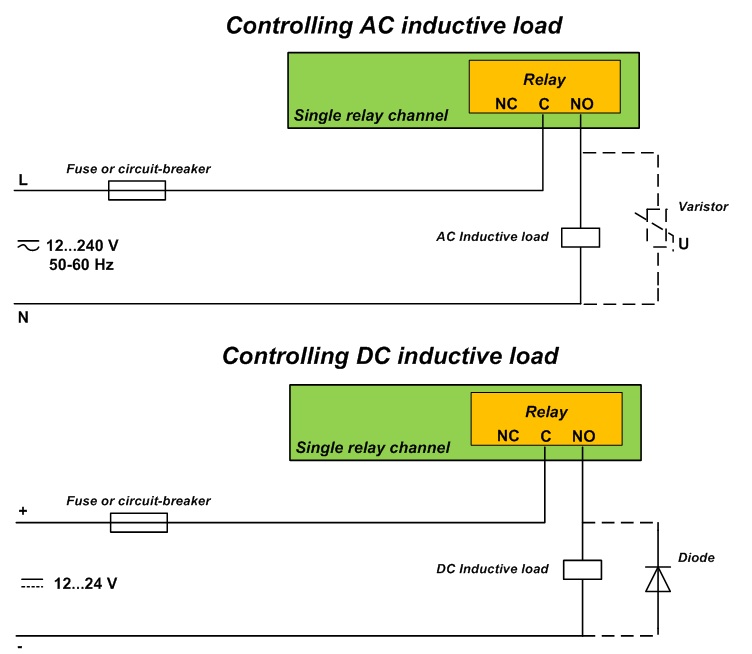
Serial commands
- Communication parameters - 8 Data, 1 Stop, No Parity, Baud Rate - 9600 bps
- Command for receiving the relays status:
- Send "ask//".
- The answer is two bytes - byte 1 and byte 2. Byte 1 represents relays from 1 to 8. MSB of byte 1 is Relay 1 and LSB of byte 1 is Relay 8. Byte 2 represents relays from 9 to 16. MSB of byte 2 is Relay 10 and LSB of byte 2 is Relay 16.
- Example:
- answer 1: 00 -> relays from 1 to 16 are OFF.
- answer 2: 255(dec) 255(dec) -> relays from 1 to 16 are ON.
- answer 3: 81(dec) 81(dec) -> Relays 1,8,9,16 - ON, the rest are OFF.
- Commands for single relay setting:
- "01+//" - Relay 1 is switched ON
- "01-//" - Relay 1 is switched OFF
- "02+//" - Relay 2 is switched ON
- "02-//" - Relay 2 is switched OFF
- ......
- ......
- "16+//" - Relay 16 is switched ON
- "16-//" - Relay 16 is switched OFF
- Commands for all relays setting:
- "on//" - All relays are switched ON
- "off//" - All relays are switched OFF
- Command for many relays setting
- Send sequentially:
"x" - as a char
a - as HEX number. a[0;FF]. This number correspondends with relays from 1 to 8. The MSB is relay 1.
b - as HEX number. b[0;FF]. This number correspondends with relays from 9 to 16. The MSB is relay 9.
"/" - as a char. This is the first part of the delimiter
"/" - as a char. This is the second part of the delimiter
Example (a=1A(hex) and b= 05(hex) )
"x" 1A 05 "/" "/"
1A(hex)=00011010(bin)
05(hex)=00000101(bin)
Relays 1,2,3,6,8,9,10,11,12,13,15 - switched OFF
Relays 4,5,7,14,16 - switched ON
Note that there must be minimum 5ms interval between each two commands !
Where to find the device
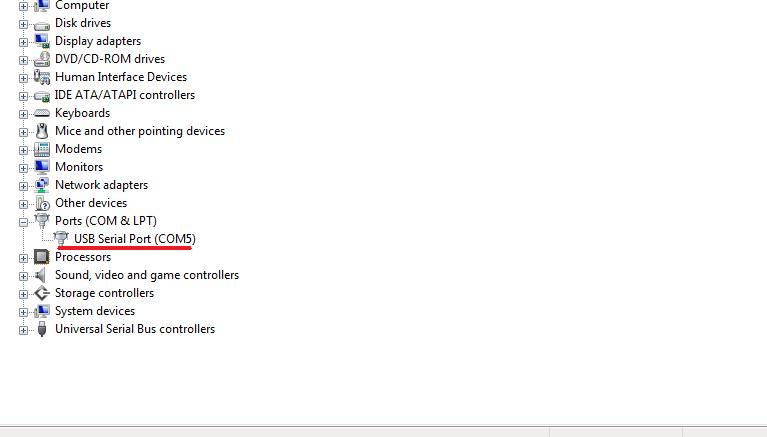
The device will appear in your computer as USB Serial Port
Denkovi Relay Command Line Tool
The main goal of this project is to help you to use our USB relay boards easily and without any specific knowledge how do they work. This tool is actually shell for all our USB relay boards and it does not matter which is the relay board, the command is the same. Just type one command and the the tool will set, get relay status or even will take temperature value from the board sensor (if any). It can be integrated in other software and you don't need to know much about how the USB relay board protocol. With this tool it is like a "game" and it takes literaly minutes to create for example PHP script and control the USB relay board from smartphone browser.
Typical applications for this software are:
- Create desktop icons to turn particular relays
- Create BAT/BASH files to make more complex logic (like timers for example)
- The commands can be executed from PHP script
- Control our USB relay boards from Android / iPhone mobile devices
- The USB relays can be controlled from each software/platform which can run external executable files or commands in command line promt
Example commands:
LIST COMMAND - lists all devices connected to computer.
java -jar DenkoviRelayCommandLineTool.jar list
STATUS COMMAND - display relay(s) status(es).
java -jar DenkoviRelayCommandLineTool.jar DAE0006K 16 1 status
java -jar DenkoviRelayCommandLineTool.jar DAE0006K 16 all status
SET COMMAND - set relay(s) state(s).
java -jar DenkoviRelayCommandLineTool.jar DAE0006K 16 5 1
java -jar DenkoviRelayCommandLineTool.jar DAE0006K 16 all 0
java -jar DenkoviRelayCommandLineTool.jar DAE0006K 16 turn 1010101010101010
Demo video how you can control the USB 16 Channel relay board from command line, browser and tablet the same time because of our command line tool.
 For more information - here
 For download - here
Windows: tested on XP, Vista, 7 and 8
Linux: tested on Ubuntu and OpenSuse
DRM Software
The device is supported by DRM Software. DRM Software is Windows/Linux software for controlling all our relay boards. Supported OS:
Windows: tested on XP, Vista, 7 and 8
Linux: tested on Ubuntu and OpenSuse
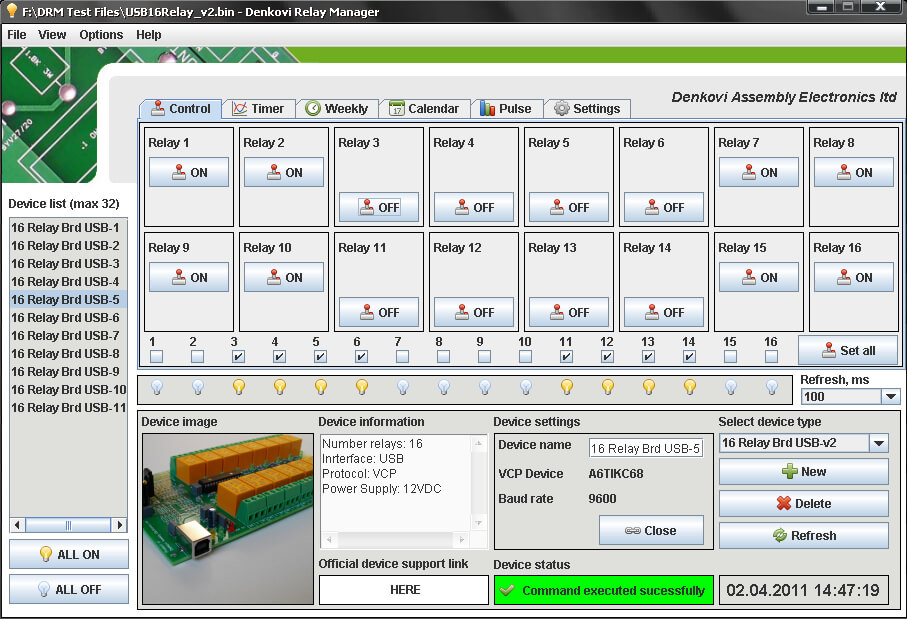
DRM Software image - control mode for USB 16 Channel Relay Module
For more information about DRM Software, documentation and download - here
 Download the last version (install package) - DRMsetup.exe
Download the last version (intstall archive) - DRMsetup.rar
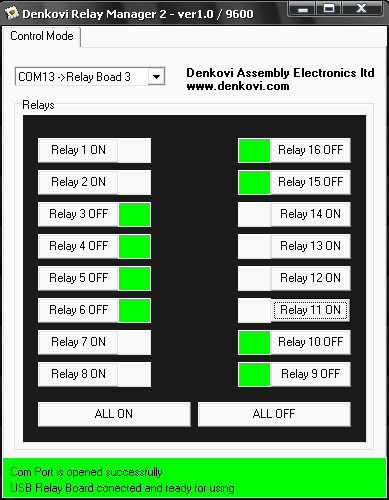
USB 16 Relay Manager
USB 16 Relay Manager is software from Denkovi for controlling all our USB 16 Relay Boards
Screenshot - here
For more information about USB 16 Relay Manager, screen-shots and detailed description - here
 Download the last version (install package) - USB16RelayManager.exe
 Download the last version (install archive) - USB16RelayManager.rar
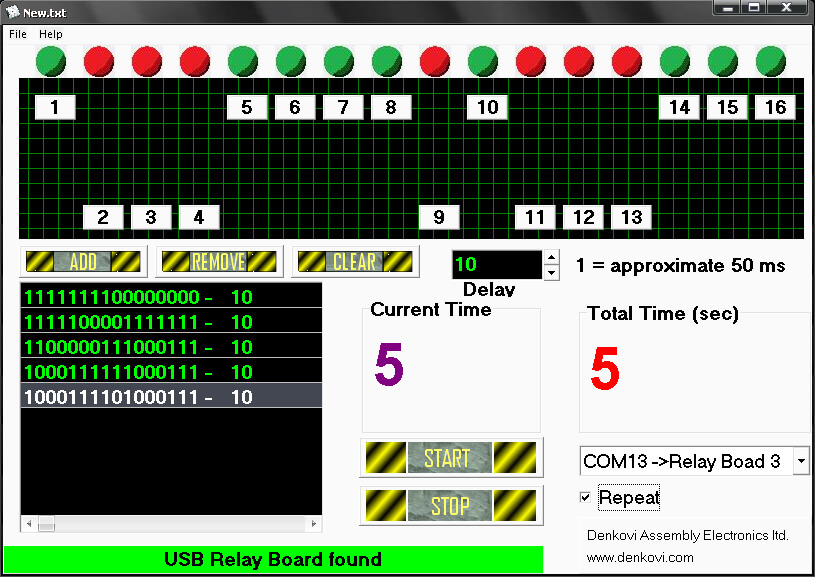
USB Relay Timer
USB 16 Relay Timer is software from Denkovi for all our USB 16 Relay Boards. We developed this application because sometimes we need to switch on for example this relay for 5 sec or switch off that relay for 2.2 sec. With this Relay Timer Manager you can do such operations with resolution about 100 ms. You can add very larg number of states and each state can take delay from 100 ms up to 999,9 sec. The interface as you see is user-friendly and you can save or load your project (in .txt format). This system (USB 16 Channel Relay Module - RS232 Controlled plus USB Relay Timer) is suitable for small christmas light displays, home irrigation systems, also you could find solution of problems in the automation when it is required some sequence of different states and many others.
Screenshot - here
For more information about USB 16 Relay Timer, screen-shots and detailed description - here
Download the last version (install package) - USB16RelayTimer.exe
Download the last version (install archive) - USB16RelayTimer.rar
Demo videos
Demo video - Control USB 16 Channel Relay Board with Android Tablet
Demo video with DRM Software, USB hub and USB 16 Channel Relay Module
BCB Com Port Tool
BCB Com Port Tool is open source application for RS232/RS485 communication
This is windows application that allows you to test not only the USB 16 Channel Relay Module - RS232 Controlled but any other RS232/RS485 device. You can send and receive data easily, adjust the COM port, baud rate and so on. This project is open source and its main purpouse is to help you developing your own RS232 application.

BCB Com Port Tool and USB 16 Channel Relay Module
For more information about BCB Com Port Tool, screen-shots and detailed description - here
Download the last version (install package) -BCBComPortTool.exe
Download the last version (install archive) - BCBComPortTool.rar
Download the source (install archive) - source.rar
Useful links
 FTDI web page - here
- FTDI drivers page - here
- FT232R page - here
- FTDI official page with source code examples - here
- Com port example for Borland C++ Builder - here
 FT232R documentation - here
- DRM Software - setup.exe
- USB 16 Relay Manager - USB16RelayManager,exe
- USB 16 Relay Timer - USB16RelayTimer.exe
- BCB Com Port Tool (executable) - BCBComPortTool.exe
- BCB Source code (archive) - source.rar
- Denkovi Relay Command Line - here
- Visual Basic 6 - Example how to set the 1 and 16 relays
- BCB6 - Open source UART terminal, suitable for serial communicat
- VB.NET Express 2010 - Detailed example with commands log
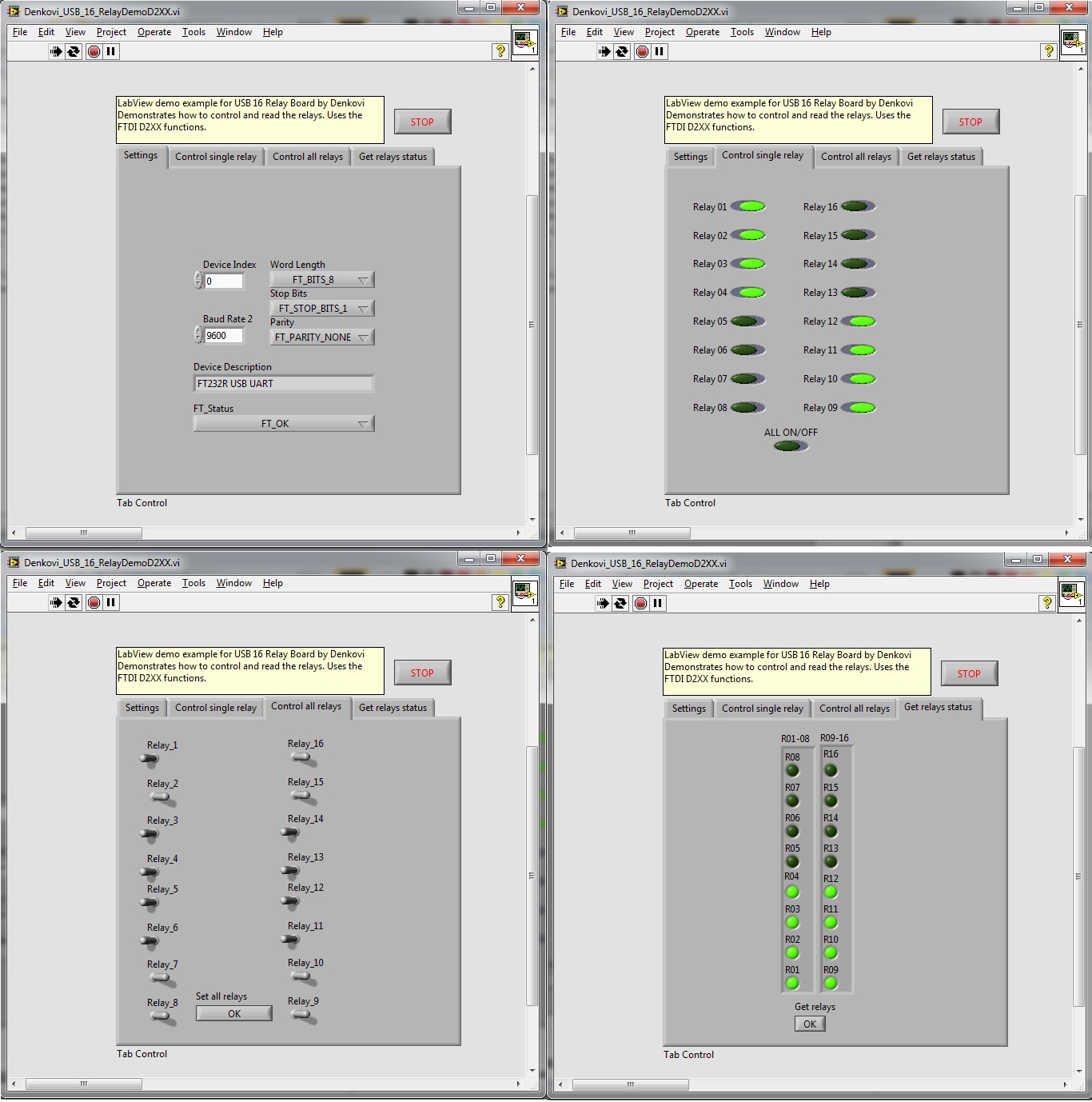
- LabVIEW 2011 (screen) - Example how to set and read the status of the relays. (The FTDI functions work on LabVIEW ver >7.0). For download please contact us.
by , 18 Jul 2012